Protect Your Schedule from Repeat No-Shows
Built-in no-show tracking that does the enforcing for you.
Every No-Show Gets Counted
Every time you mark an appointment as a no-show, SuiteCal counts it against that client. No spreadsheet. No trying to remember who ghosted you last month.
You Set the Rules
Choose how many no-shows a client gets before the rule kicks in. The default is 2 strikes, but you can change it to whatever works for your business.
Repeat Offenders Can't Book Again
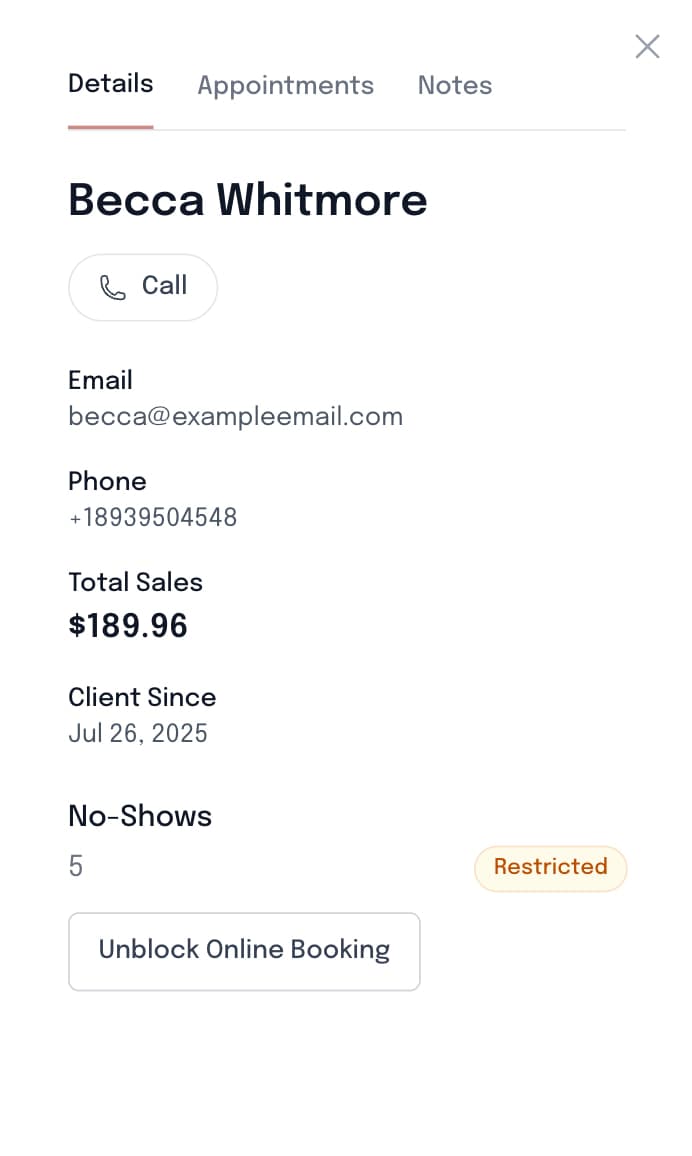
When a client hits your limit, SuiteCal blocks online booking access by rule. They cannot complete booking again unless you manually create an appointment for them.
Works with Reminders and Deposits
No-show protection is your last line of defense. Pair it with text reminders and deposits so fewer clients ghost and your income stays consistent.
What Happens When Someone Ghosts You
Your booking system should handle it. Here's how SuiteCal does.
Step 1: You Mark It. SuiteCal Remembers.
Client didn't show for her 1pm volume set? Tap No-Show from your calendar. SuiteCal logs the strike against that client automatically. No notes, no spreadsheet, no trying to remember next month.
Step 2: They Hit Your Limit. Booking Closes.
When a client reaches your threshold (2 strikes by default, or whatever you set), SuiteCal blocks them from booking online. No awkward DM. No confrontation. SuiteCal enforces it so you don't have to.
Step 3: Your Chair Stays Full. Not Empty.
That blocked slot? It's now open for a client who actually shows up. You stay booked, your income stays protected, and you didn't have to be the bad guy.


A No-Show Doesn't Just Cost You One Appointment
It costs you time you could have given to a client who actually wanted to be there. A classic full set can take 60 to 90 minutes. A volume set can take 2 hours or more. When someone ghosts you, that is a full block of revenue gone.
Most lash techs handle this with a written policy, a pinned post, or a line on the booking page. But policy without enforcement is just words. If repeat no-shows can still book online, your schedule is still exposed.
SuiteCal handles enforcement for you. No awkward DMs. No chasing. You stay focused on the client in your chair, not the one who didn't show up. You can also reuse our cancellation policy template to keep expectations clear up front.
Most No-Shows Are Not Malicious. They Just Forgot.
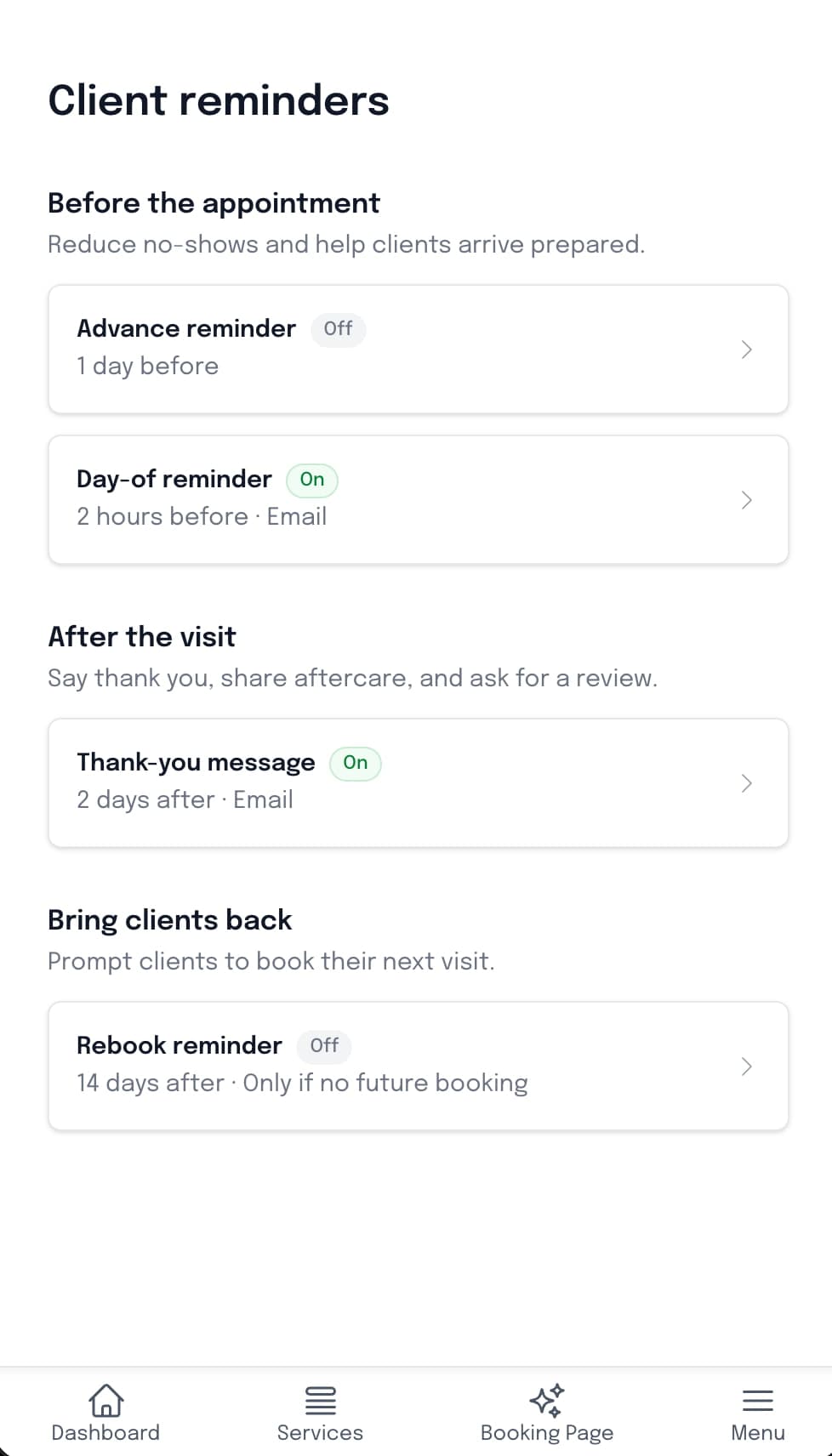
Most clients who ghost you are not doing it on purpose. They got busy, lost track of the day, or forgot they booked two weeks ago. SuiteCal sends automatic email reminders before every appointment on all plans. On Premium, text message reminders go out too, so clients get a nudge they actually see.
Instead of you texting every client the night before, SuiteCal handles it automatically.
Day-Before Reminder
Clients get a text the day before their appointment with the time, service, and any prep notes you have set up.
Day-Of Reminder
A second text goes out a few hours before the appointment. This is the nudge that catches clients who saw the first one but forgot to plan around it.
Custom Prep Instructions
Include your own notes in every reminder. Tell clients to arrive makeup-free, skip mascara, or bring reference photos.
Email Reminders on Every Plan
Email reminders go out before every appointment on all plans. On Premium, text message reminders are sent alongside email for even stronger no-show prevention.
“Reminder: You have a Volume Lash Full Set with Studio Lux tomorrow at 2:00 PM. Please arrive makeup-free.”
“Your lash appointment is in 3 hours at 2:00 PM. See you soon!”
Full Protection Stack
No-Shows Do Not Stand a Chance
Reminders
Text and email reminders before every appointment give clients a nudge so they show up on time. Connect this with your lash appointment scheduler.
Deposits
Require payment up front so clients have skin in the game before they book. See Lash Payment Deposits for setup options and checkout flow details.
No-Show Protection
Track repeat offenders and enforce your threshold automatically when text reminders and deposits are not enough.
Client History
Use client history and policy language together. If you need policy wording, start with the cancellation policy template or this no-show strategy guide.
No-show protection FAQ
Everything you need to know before you turn it on
A 2-hour full set no-show at $150 is not just $150 lost. Factor in the slot you could not rebook on short notice, supplies set out and wasted, and the gap in an otherwise full day. For a lash artist running four clients a day, one no-show every two weeks adds up to $3,000 to $5,000 in lost revenue per year. That math changes how seriously you treat your booking policy.
You set the threshold. The default is 2 no-shows before a client is blocked from booking online. You can lower it to 1 for new clients or keep it at 2 for long-time regulars. The rule fits your business, not the other way around.
Yes. The online booking block is automatic, but you always have the final say. If a blocked client reaches out and you decide to give them another chance, you can add the appointment manually from your calendar. SuiteCal protects your schedule. You still control the exceptions.
Yes, and they cover different things. Deposits protect your revenue when someone does not show. No-show tracking protects your future schedule by flagging clients who are likely to do it again. Running both at the same time gives you the most complete protection for your time and income.
Yes. Every no-show is recorded in the client's appointment history inside their profile. You can review their full track record anytime and decide whether to rebook them manually or keep the block in place. Full visibility, always.
SuiteCal sends two text reminders: one the day before the appointment and another 2 to 3 hours before. Both include the appointment time, service, and any prep notes you have set up. Email reminders go out on all plans, and on Premium, text reminders are sent alongside them.
Text message reminders are included with the Premium plan at no extra cost. They are not a separate add-on. Every plan includes email reminders and follow-up emails.