Your Lash Appointment Calendar, All in One Place
Lash clients rebook every 2 to 3 weeks. Gaps cost you money. SuiteCal's appointment calendar gives you a real-time view of your full month, so you always know what's booked, what's open, and what's next. Compare Free and Premium plans to find the right fit for your studio.
Monthly Calendar at a Glance
See your entire month laid out. Busy days, open gaps, and upcoming fills - without digging through messages or spreadsheets.
Switch to List View in One Tap
Prefer a clean scroll? Toggle to list view and see exactly what's coming up, with time, service, and client name at a glance.
Add Appointments Right from Your Calendar
Walk-in client? Manual booking? Click any time slot, fill in the details, and it's on your calendar instantly.

Everything Your Lash Studio Needs
Built for Lash Artists Who Book All Day
Your Lash Schedule, at a Glance
Fill your week with confidence. See where you’re packed, where you’re open, and plan your day faster so you can take more bookings without the back-and-forth.
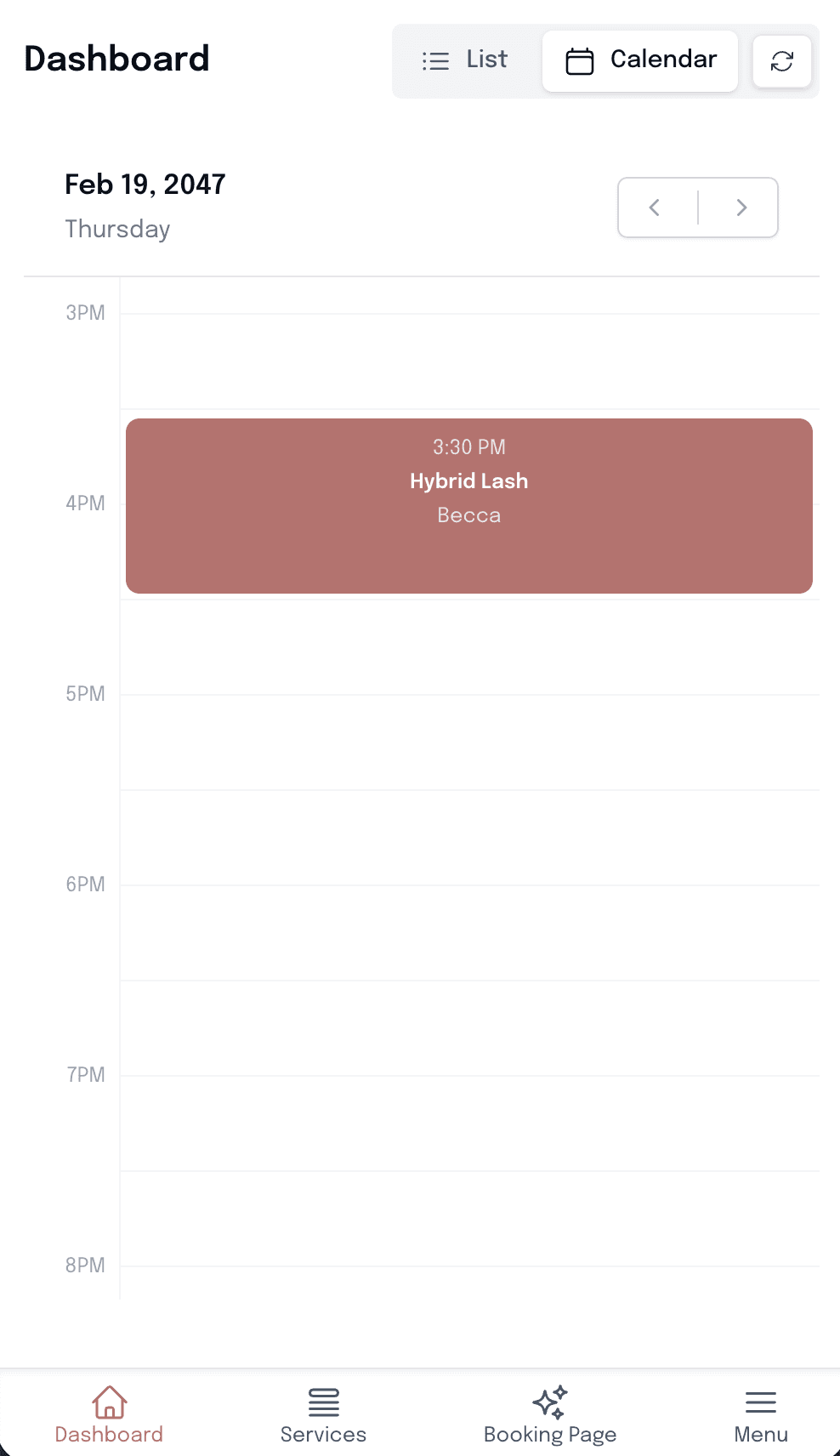
A Smoother Client Experience
When your schedule is clear, clients get faster confirmations, fewer mix-ups, and a more professional experience that keeps them coming back.
Secure Payments
Collect deposits or full payment. With no hidden fees from SuiteCal.
Add or Cancel Appointments Fast
Handle walk-ins, last-minute changes, and cancellations in seconds. Your day stays on track and clients get quick, confident updates.
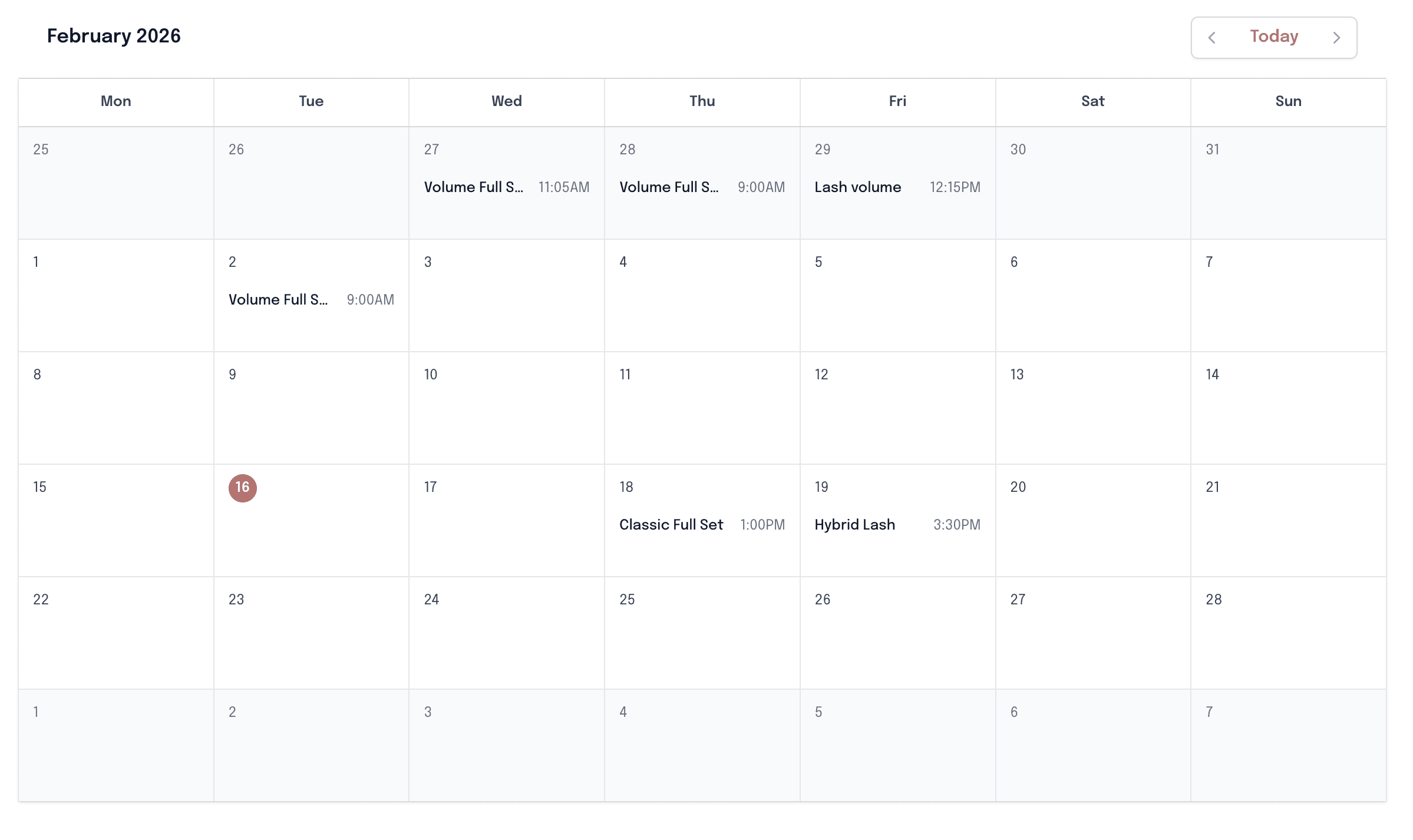

A Lash Schedule That Shows You What's Missing
Open slots between fills and full sets add up fast. SuiteCal's calendar makes gaps obvious at a glance, so you can fill them before the day starts, not wonder about them after it ends.
Need to squeeze in a last-minute classic set? Tap the open slot, add the client, and your schedule updates instantly. Pair the calendar with SuiteCal's lash appointment scheduler for gap-free booking.
Learn how to prevent double bookings in your schedule, view full client details in the client profiles, or collect deposits at booking to protect every slot.
Got questions?
Everything you need to know about SuiteCal
Your calendar shows every booked appointment in chronological order, with the client name, service, and time visible at a glance. Toggle between calendar view for a full picture of your week, or list view for a clean rundown of what is coming up next. Both views work on your phone.
Yes. Pick any open slot on the calendar, choose the service and client, and the appointment is added instantly. Your calendar stays accurate whether a client booked online, called you, or walked in off the street.
Yes. You can block any time slot directly in your calendar so clients cannot book those windows. Use this for personal appointments, lunch breaks, supplier visits, travel days, or whenever you need the time protected without setting up a workaround.
No. The appointment calendar is completely private and only visible inside your SuiteCal dashboard. Clients see only the available booking slots on your public booking page -- never your full schedule, client list, or appointment history.
You can toggle between a calendar view, which shows the visual layout of your week, and a list view, which gives you a chronological list of upcoming appointments. Use whichever makes more sense for how you plan your day.
Yes. Both calendar and list view are fully functional on mobile. Check tomorrow’s schedule, add a walk-in booking, or review a client’s appointment details between sessions without needing to open a laptop.